
And to make this a bit more complicated, maybe you want to be able to edit those objects after you have placed them in a circle without having to do everything over again if you need to change. … All you have to do is to fill in the diameter of the circle and the number of objects that you want on the circle and you get the Horizontal and Vertical values you need to fill in to make everything fit. 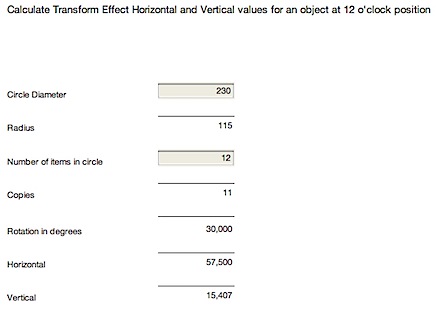 I am not sure if anyone cares to know the math behind this calculator but here is a picture which I used when I was figuring this out.
illustrator
Making seamless patterns in Illustrator
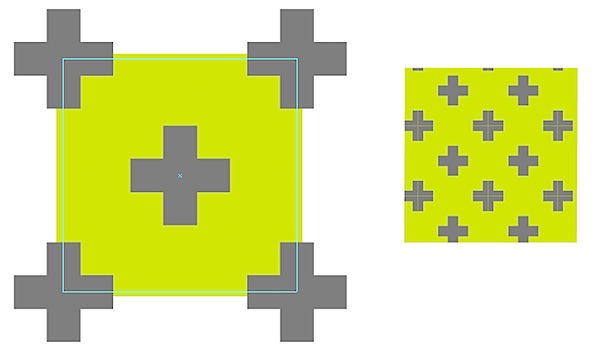
Then make them Global by double clicking each color and check the Global checkmark in the dialog box that opens. 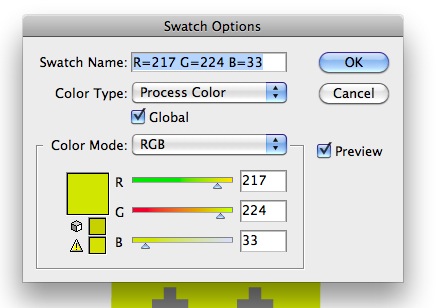 You can also start by making a few boxes to match your colors and when you are satisfied you can make a Color Group by clicking the Color Group icon at the bottom of the Swatch panel. … First select the object in the upper left corner and drag the Appearance icon of the object to the Graphic Style panel.
 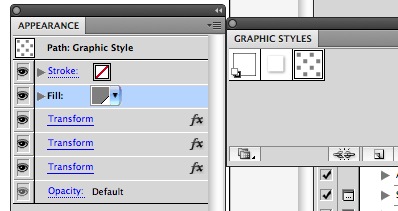 Now, placing any object over a 60 by 60 mm square and applying the Graphic style it will add the same effect to that object.
Contact Sheets in PDF in Bridge replace the older InDesign plug-in
For those who have been using different workspaces and even making their own customized workspaces in other CS applications will note that this Output workspace of Bridge brings features that are not available in the other workspaces. … Secondly, if you still want to use your own InDesign templates to make contact sheets you can buy a script for $30 from Creadtive Scripting I have not tried it myself but I have seen great reviews online from the InDesign dudes and dudettes.
Illustrator Keyboard Shortcuts for Foreign Languages
One good thing to remember is that this Set file can be found on the mac in ~/User/Preferences/Adobe Illustrator CS4 Settings/En_US (The En_US may be different for countries). … (If you are using CS3 or older you will get a yellow triangle saying that this already in use by Apply Last Filter command.
Grid Systems – Easy Grid Calculator
The Grid Calculator InDesign plug-in is by the way awesome because it not only calculates the grid but also sets the whole thing up in InDesign ready to go and ready to be saved for later use. … But it is also possible to play with number of columns and rows and fiddle with the units in the Margin section to let everything fit and the measurements for the margins are calculated at the same time.
How to make a circle color spectrum in Illustrator
You could also do all this by clicking with the mouse on the center of the guide lines to get a dialog box to fill in the measurements but I thought it would be worth it to show you both methods. 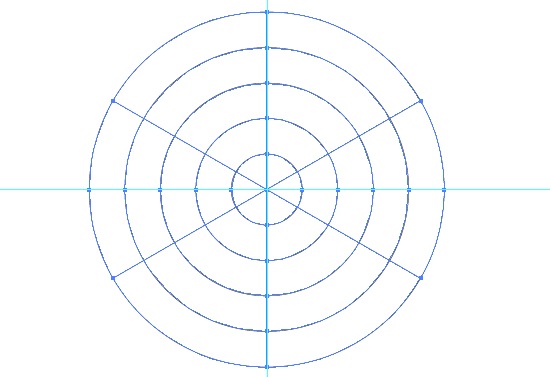 Select the grid and make it to guides with Command + 5 or go the long way via the View menu down to Guides and to Make Guides in the sub menu. … The first division is there.
 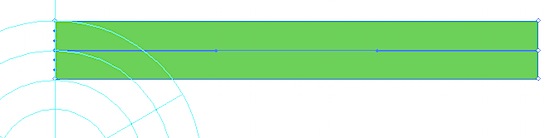 Then click approximately into the center of the top edge.
 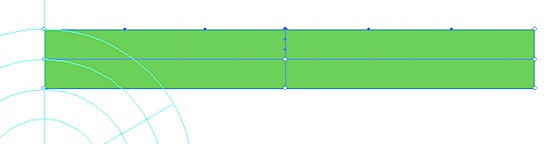 And after that add two vertical dividers on each half so we have six sections in total horizontally.
 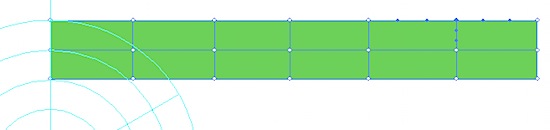 Using the Direct Selection Tool, (the white arrow) select all the anchor points, except those who align with the circle.
Close your fonts to fix Illustrator freeze, crash and sluggishness
That means what even if you delete font sets (a set of aliases/links to the fonts) the correct fonts will open in Illustrator when it calls for it even if you closed all your fonts to start with. … I hope this persuades you to let go and close all your fonts when Illustrator is really acting up because this is fast, no risk and you don’t have to be a tech geek to do this.
The Grid Calculator
It means you can leave Grid Calculator and paste the information into the document you are working on and don’t have to go back and forth to copy one field at the time. … So, if you are ready to jump on the grid bandwagon, read my articles about grid making in Illustrator and use the Grid Calculator to speed up the process.
Convert CMYK swatches to Pantone numbers in Illustrator
But notice the white triangle that is added to the swatches, which means that the colors are now Global. 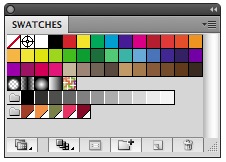 This results in a new Color Group , where the selected colors are grouped together inside the Swatches panel.
 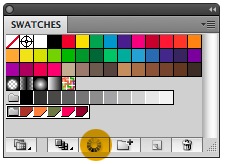 Select the Color Group inside the Swatches panel. … The Pantone Swatch Libraries are under Color Books and as an example choose: Pantone solid coated and let go.
 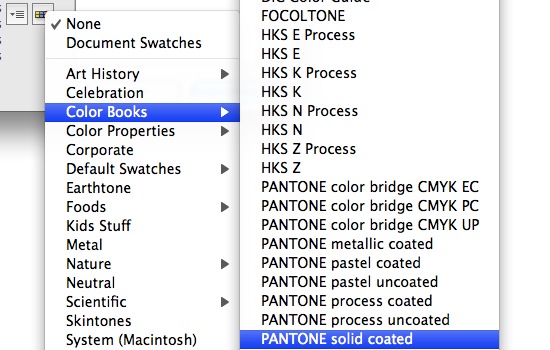 Now watch the difference we have here: Over the button we just released it says: PANTONE solid coated and in the upper left corner you see that a dot has been added to the white triangle , meaning that we now have changed the Color Group to spot colors, which Pantone colors are .
 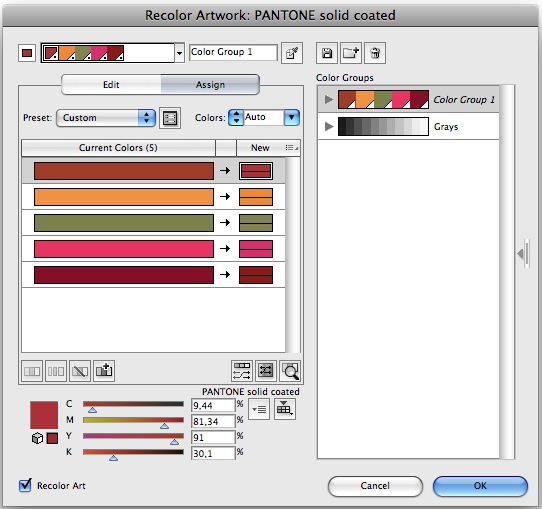 Before you click OK be sure that Recolor Art is checked.
Grid Systems – Making grids in Illustrator 2
As I mentioned before, if we are going to have the same width of margins on both left and right we have to use a number of Document Grid units that the number of columns divides into, minus one.
…The only thing we needed to do if we wanted to have the f-line all over the page (might be useful in some other grid you make later) we select this line, go to Obejct > Transform > Move and put -4.477 pt in the vertical field and we are done.
12